cwfloppy - The Linux Catweasel block device
driver
What is this?
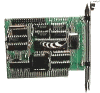 cwfloppy is a Linux device driver for the
Catweasel Advanced Floppy Controller manufactured by
Individual Computers.
The Catweasel is a versatile Shugart bus controller, i.e., it can
control floppy drives. It is extremely flexible and can be
programmed to read and write just about any floppy disk in the
world.
cwfloppy is a Linux device driver for the
Catweasel Advanced Floppy Controller manufactured by
Individual Computers.
The Catweasel is a versatile Shugart bus controller, i.e., it can
control floppy drives. It is extremely flexible and can be
programmed to read and write just about any floppy disk in the
world.
This driver supports all controller versions, ISA (MK1) and
PCI (MK3 and MK4). The Amiga versions of the controller are
currently not supported, but it should be easy to adapt the
driver for Linux/m68k (so far nobody has expressed an interest in
this, though). Also, only the floppy is controlled by this
driver. If you want to make use of the additional SID and
joystick features present on the PCI cards, you must use the
driver from Dirk Jagdmann and
Michael Stickel.
As of yet, this driver supports the following formats (rw =
read/write, ro = read-only):
- Amiga 3.5'' DD [880KB] (rw)
- Amiga 3.5'' HD [1760KB] (rw)
- Amiga 5.25'' DD [880KB] (ro)
- MS-DOS 3.5'' DD [720KB] (rw)
- MS-DOS 3.5'' HD [1440KB] (rw)
Note: this driver exports a block device to user space, similar
to /dev/fd0. If you don't need to access your floppy
through a block device, e.g. you merely want to read and write
complete disk images, then consider
using Karsten Scheibler's
driver. It supports more floppy formats and kernel versions than
my driver, which hasn't been updated for a while.
Download
cwfloppy-0.5.4
(82K, 27-Jun-2009)
|
Linux 2.6 (Kernel >=
2.6.28) only; read only; all Catweasels (MK1 up to MK4)
supported
|
cwfloppy-0.5.3
(82K, 15-Jun-2008)
|
Linux 2.6 (Kernels 2.6.20 up
to 2.6.27) only; read only; all Catweasels (MK1 up to MK4)
supported
|
cwfloppy-0.5.2
(83K, 7-May-2005)
|
Linux 2.6 (Kernel <
2.6.20) only; read only; all Catweasels (MK1 up to MK4)
supported
|
cwfloppy-0.3.3
(81K, 8-Dec-2005) |
Linux 2.4 only;
read&write; all Catweasels (MK1 up to MK4)
supported
|
cwfloppy-0.3.1
(38K, 18-Aug-2002) |
Linux 2.0 to 2.4;
read&write, only ISA Catweasels
|
As you can see, there's currently no write support for you
if you have kernel
2.6.
News
News (27-Jun-2009):
Released cwfloppy-0.5.4, which
works with Linux kernels >= 2.6.28 and on AMD64 systems (thanks
to Bernd Wachter).
News (15-Jun-2008):
Released cwfloppy-0.5.3,
which works with Linux kernels >= 2.6.20.
News (08-Dec-2005):
Released cwfloppy-0.3.3,
which is now the latest driver for all Catweasels under Linux
2.4.
News (07-May-2005):
Released cwfloppy-0.5.2,
which fixes a problem where an MK4 Catweasel is not detected
properly. Also, added cwfloppy-0.3.3-pre1 (untested,
though), which adds MK4 support to the Linux 2.4 driver.
News (06-Mar-2005):
Released cwfloppy-0.5.1,
which adds support for the new Catweasel MK4.
News (31-Aug-2004):
Released cwfloppy-0.5.0c,
which fixes a problem with a kernel panic which was occurring
quite often on some systems. Should be able to read disks in all
four formats on uni- and multi-processor systems without trouble
now.
News (22-Aug-2004):
Released cwfloppy-0.5.0.
v0.5.0 is highly experimental. It's the first version running
under Linux 2.6 (and only under Linux 2.6 -- if you still run
2.4 or even older, don't bother upgrading). Only the PCI
Catweasel has been tested. Write support is still missing, disk
changes might not be detected properly, formatting doesn't work.
Be prepared for anything. I hacked the final bits and pieces
together only today, and I really wanted to get this out of the
door, but let me repeat that this release is still not in the
least fit for production use (whatever that means in a
retro-computing context). But I found that simply reading disks
works quite fine so far :-) All the other features will
eventually be added, of course. Any feedback is appreciated.
Patches
Some interesting patches for the v0.3 series of
cwfloppy:
The authors sent me those two patches some time ago already,
but a lack of time prevents me from compiling a new cwfloppy
release, so for the moment I'm just publishing these changes as
is. Please direct any questions to the corresponding authors.

Related Stuff
- Karsten Scheibler has extended his older 1541 patch towards a
complete Catweasel driver which partly works in user space, check
it out: cw.
- Tim Mann has written a piece of software called cw2dmk that can read
TRS-80 and other disks with the Catweasel controller, and it can
also write them back, which makes it a cool low-level copy
program. This is a stand-alone program based on the 'cwfloppy'
driver and works under both Windows and Linux. The package also
includes a cool track histogram generator, far better than the
test-histo.c included in previous packages of the
'cwfloppy' driver.
- Vincent Joguin has
written Disk2FDI
-- a program that can read Amiga disks (and some other formats)
using the standard PC floppy controller, a task which has long
been thought to be impossible. However, it requires two disk
drives, is slow, can not write, lacks the source code and is only
an MS-DOS program.
- Dirk Jagdmann has written a driver for accessing the SID,
Amiga keyboard and joystick features of the MK3 / MK4 Catweasels,
here it is.
A note on DD and HD 3.5'' disks
The small hole in the upper left corner DOES make a difference:
an HD floppy drive physically reads and writes an HD disk (with
such a hole) in a manner different from a DD disk (without such a
hole). A floppy drive does not and can not write an HD disk in HD
format with the same physical parameters as a DD disk in DD
format!
If you always use HD disks with HD format and DD disks with DD
format, everything's fine. However, at some time in the nineties,
the floppy disk industry stopped selling DD disks. Because many
Amiga users still relied on the DD format (only the Amiga 4000 has
an HD drive), they simply took HD disks and used them in their DD
drives. Some users covered the HD indicator hole with a piece of
tape, some didn't. Because their drives were only DD drives, the
drives didn't care - so it really didn't make a difference either!
Most HD disks seem to work fine this way, even though they have
been constructed for HD formatting. In fact, I've never come
across an HD disk that could NOT be used in an Amiga DD
drive. There have been people claiming otherwise, though.
However, if you insert an HD disk formatted in DD format into an
HD drive, you HAVE to take care to cover the HD indicator hole! If
you do not do this, the drive will think it is an HD formatted
disk and adjust its physical parameters accordingly, leading to
READ and/or WRITE ERRORS on a basically fine disk! Unfortunately,
this can not be worked around in software.
So, if somebody gives you a disk with an HD hole and you can not
mount it as either Amiga HD or MS-DOS HD, it could be a perfectly
fine DD formatted disk -- only your drive is in the wrong mode to
read it without errors, because it detects the uncovered HD hole
and thinks it is in HD format. Cover the hole with some piece of
tape, and everything will be fine.
For the interested, the README in the cwfloppy archive contains
instructions on how to illustrate this effect using track
histograms.
Michael Krause, mk@soundtracker.org. Back to the index page.